notentra.com / identity-provider
Identity Provider

The Windows-native identity authority your enterprise demands.

SAML 2.0, OIDC, WS-Federation, FIDO2, and certificate auth — all running on IIS in your own data center. Full ADFS migration, Microsoft 365 federation, conditional access, and native MFA included in every tier.

Platform
Windows Server 2019+
Runtime
.NET / IIS
Protocols
SAML · OIDC · WS-Fed · X.509
Cloud Dependency
None — 100% on-prem
Admin Console

Built for administrators, not developers.

A full management console for applications, policies, MFA, and audit — accessible from any browser, no command line required.
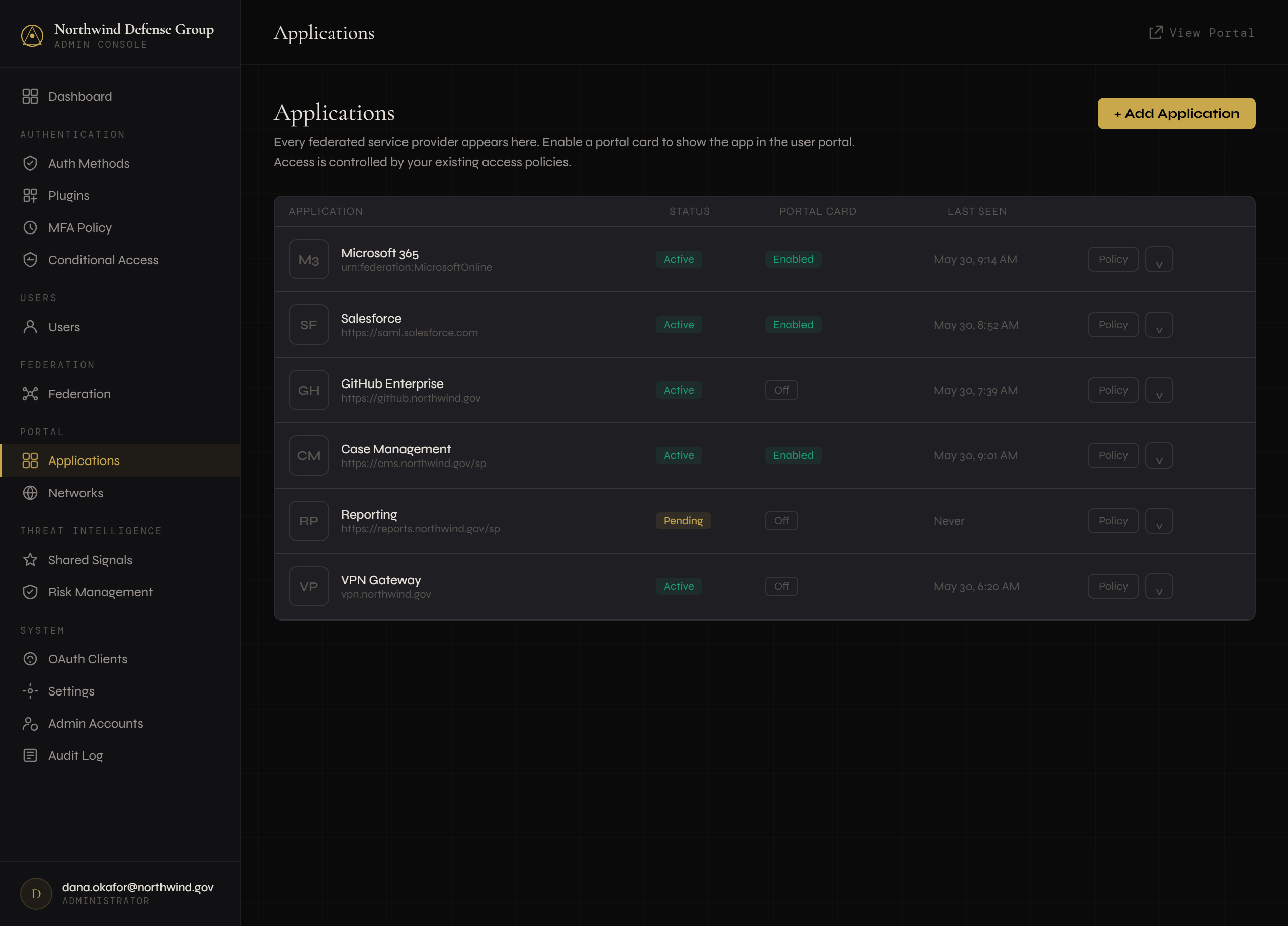
Applications
Conditional Access
FIDO2 Profiles
Risk Management
login.northwind.gov/admin/applications
Notentra IdP admin — Applications
Protocol support

Every protocol your enterprise already uses.

Notentra speaks the protocols your applications already understand — no bridges, no adapters, no re-architecting.

SAML 2.0 · ACTIVE

SAML 2.0 Identity Federation

Full SP-initiated and IdP-initiated flows. Signed assertions, encrypted attributes, per-application attribute mapping. Microsoft 365 federation is first-class.

Used for: Microsoft 365, Salesforce, ServiceNow, any SAML 2.0 SP
WS-FED · ACTIVE

Full ADFS Compatibility

The same protocols Microsoft ADFS uses. Passive WS-Fed for browser apps, plus SAML 1.0 token support for OWA and Exchange ActiveSync.

Used for: OWA, Exchange, SharePoint on-prem, legacy claims-aware apps
OIDC / OAUTH2 · ACTIVE

Modern App Authorization

Authorization Code flow with PKCE, Client Credentials, and refresh token issuance. Discovery endpoint, JWKS rotation, standard claims.

Used for: iOS / Android apps, modern web apps, SPAs
X.509 / WINDOWS · ACTIVE

Certificate & Domain SSO

TLS client-certificate auth with per-issuer profiles and OCSP revocation. Windows Integrated auth for silent SSO on domain-joined workstations.
Used for: PIV/CAC cards, smart cards, corporate desktop SSO
Assurance done right

MFA that knows what it's worth.

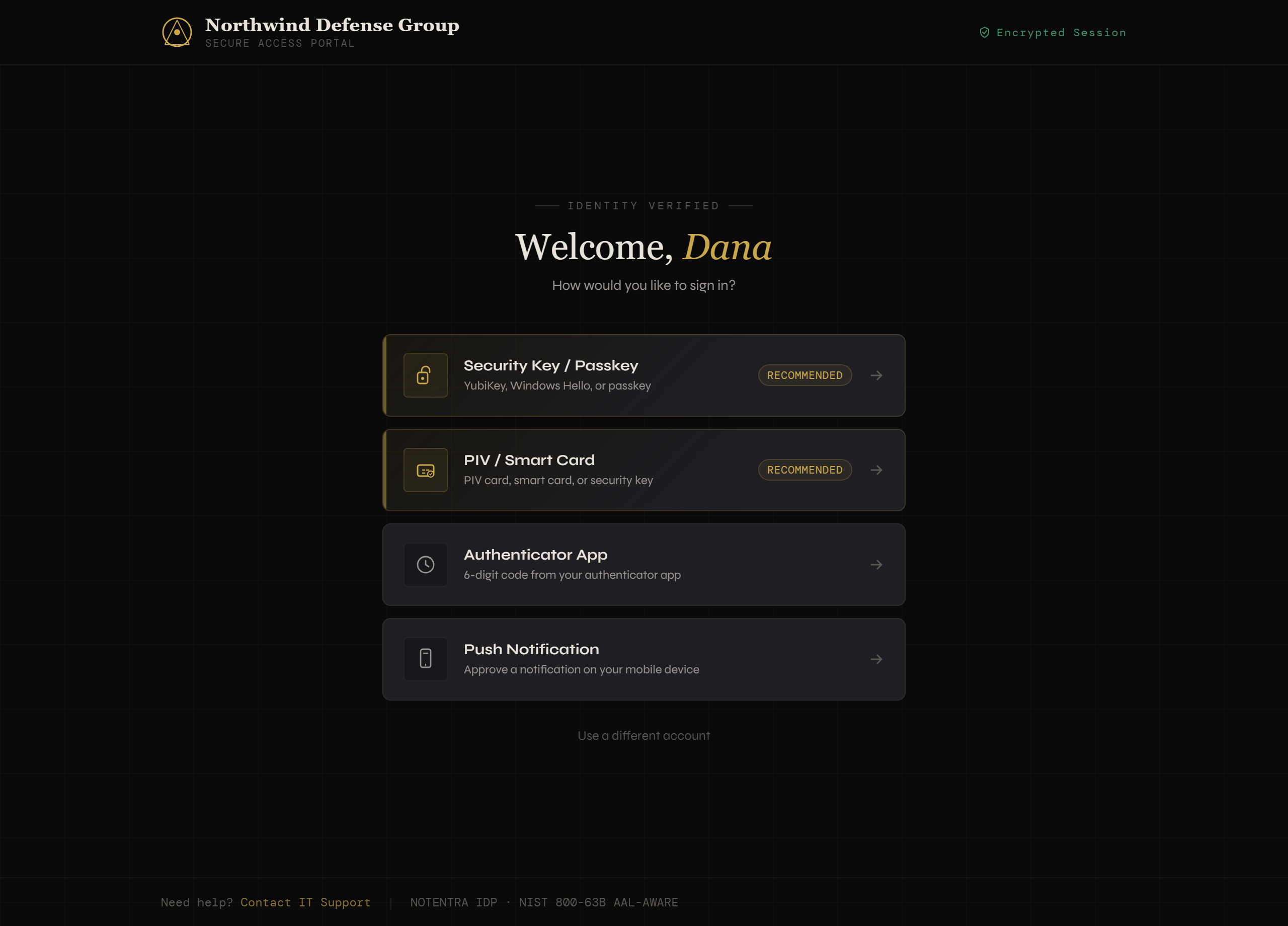
Most IdPs treat MFA as a yes/no flag. Notentra grades every credential against NIST SP 800-63B — so "hardware-bound required" actually means it.

  • 🔑
    FIDO2 / WebAuthn passkeysHardware keys correctly classified AAL3; synced passkeys AAL2 — because the private key roams.
  • 🪪
    Smart card / client certificatePIV, CAC, and enterprise PKI via per-issuer profiles with OCSP revocation.
  • 📲
    Push, TOTP & temporary accessNative push via the Notentra Authenticator, standard TOTP, and one-time TAP for enrollment and recovery.
login.northwind.gov — choose method
Notentra IdP MFA method selection
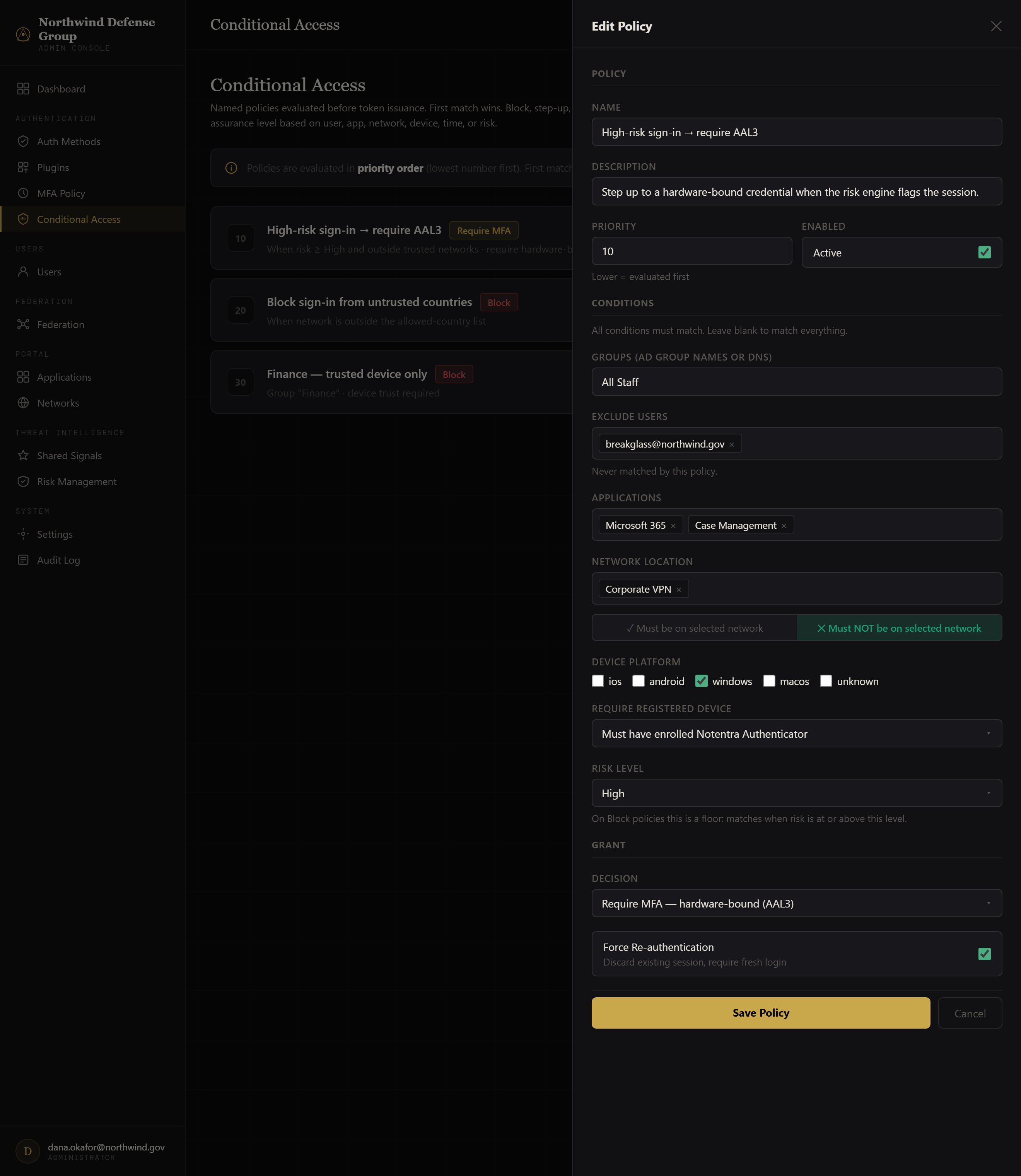
login.northwind.gov/admin/conditional-access
Notentra IdP conditional access policy editor
Conditional access — included

Access control without the upsell.

Risk tiers, device trust, trusted-network and time-window rules — the access model the SaaS giants charge premium tiers for, evaluated before token issuance. First match wins. Build a policy, then dry-run it against any user with the built-in simulator.

  • Risk-based step-upRequire hardware-bound MFA the moment the risk engine flags a session.
  • Per-department hardware profilesLegal on YubiKey, Accounting on UTrust — different standards, one IdP.
  • Tamper-evident audit (AU-9)HMAC-chained audit trail, verifiable in one click.
Authentication flow

From request to session, on your hardware.

A request arrives from a federated application. Here is what happens.

STEP 01

Federation request

App sends a SAML AuthnRequest, WS-Fed signin, or OIDC authorize request to the IdP endpoint.

STEP 02

Policy evaluation

Conditional-access and MFA policies evaluated and combined for the most stringent result — app- and user-scoped.

STEP 03

Authentication

User satisfies the required factors — password, certificate, passkey, push, or TOTP — each graded to its true AAL.

STEP 04

Assertion issued

Signed token (SAML assertion, JWT) with AD-enriched claims. A typed, HMAC-chained audit event is written.

Deploy Today

Ready to replace ADFS?

Notentra deploys to your existing Windows Server and IIS infrastructure. No Linux, no containers, no re-architecting.