Pipeline-native protection. No proxy in the path.
Most SAML SP solutions require a reverse proxy. Notentra's module lives inside the IIS pipeline itself — the same place IIS already handles every request.
A GUI for every setting. No XML editing.
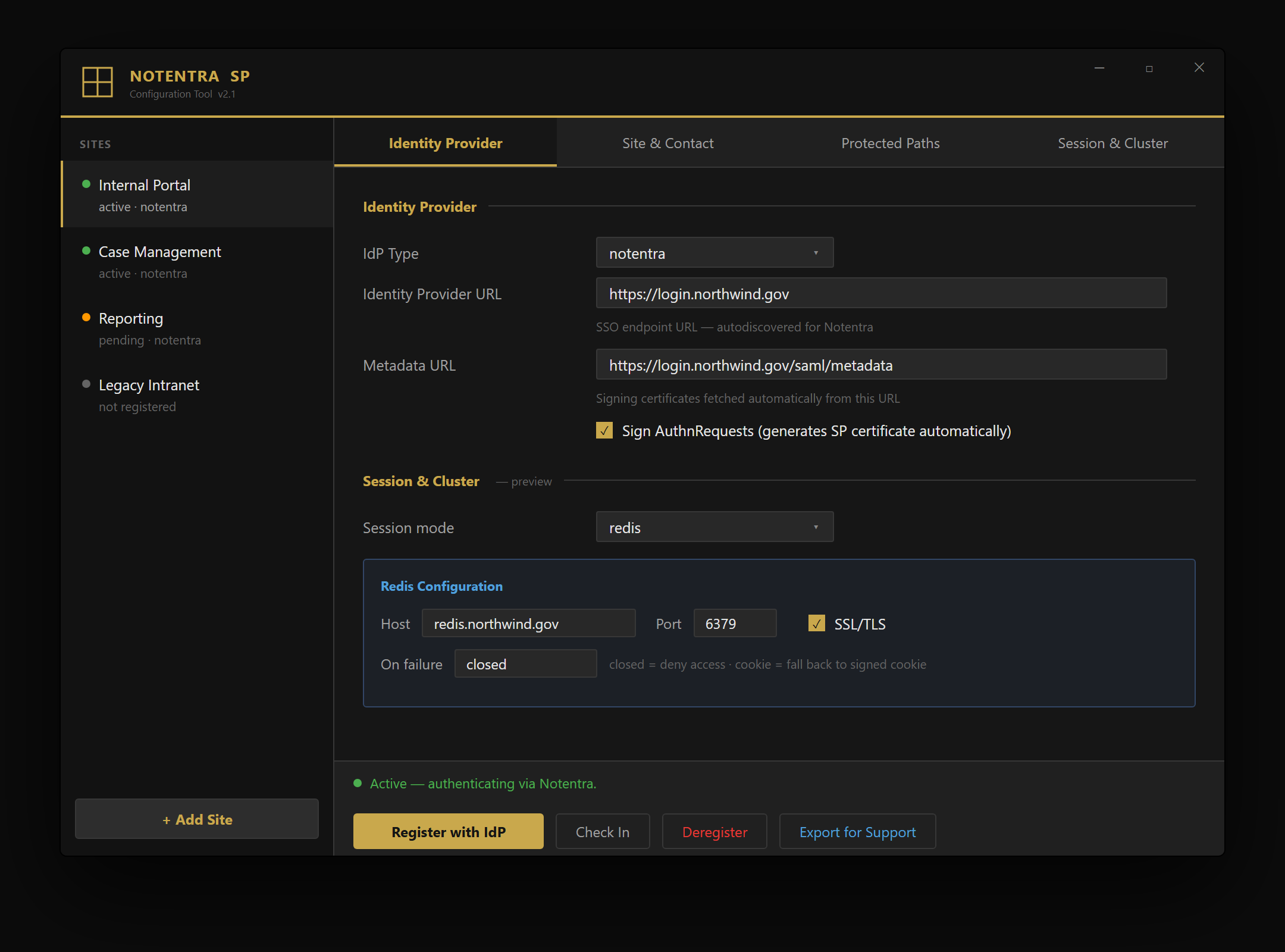
The MSI installs a standalone configuration tool. It lists the IIS sites on the server, autodiscovers your Notentra IdP, and handles SAML, sessions, protected paths, and claim mappings — all from one window.
Everything you need. Nothing you don't.
MSI installer + GAC
One MSI registers the module in the Global Assembly Cache, strong-name signed. No per-site DLL copying, no manual GAC work.
Per-site settings
Each IIS site has its own IdP, entity ID, claim mappings, and session policy — encrypted on disk, validated at startup.
SRV autodiscovery
A DNS SRV lookup finds your Notentra IdP automatically. IIS binding parsing and contact info resolved in the background.
Three session modes
Stateless signed cookie, UDP multicast between nodes, or shared Redis with instant revocation — chosen per site.
No domain join at SP
Claims injected straight into the IIS pipeline. The protected app server needs no AD or LDAP connectivity.
Fail-closed by design
Any config or decryption error returns HTTP 503 — the site is never served anonymously. XML Signature Wrapping defenses built in.
Four steps. Done.
The SP module installs to a production IIS server in under 10 minutes. No reboots, no service interruption.
Run the MSI
Registers the module in the GAC, creates config storage, and installs the configuration tool — in one step.
Open the config tool
Launch as Administrator. Your IIS sites are listed automatically. Pick the site to protect.
Configure IdP & claims
Autodiscover or paste your IdP URL. Map SAML attributes to the request headers your app reads.
Register & test
Approve the SP at the IdP admin console and run a test sign-in. No license file needed — it's free.